Your Outfits,
Shaped by AI
Manage your clothes digitally, create perfect outfits with AI, and discover your style.
My Wardrobe
24 items
A Look Inside
Designed to feel effortless
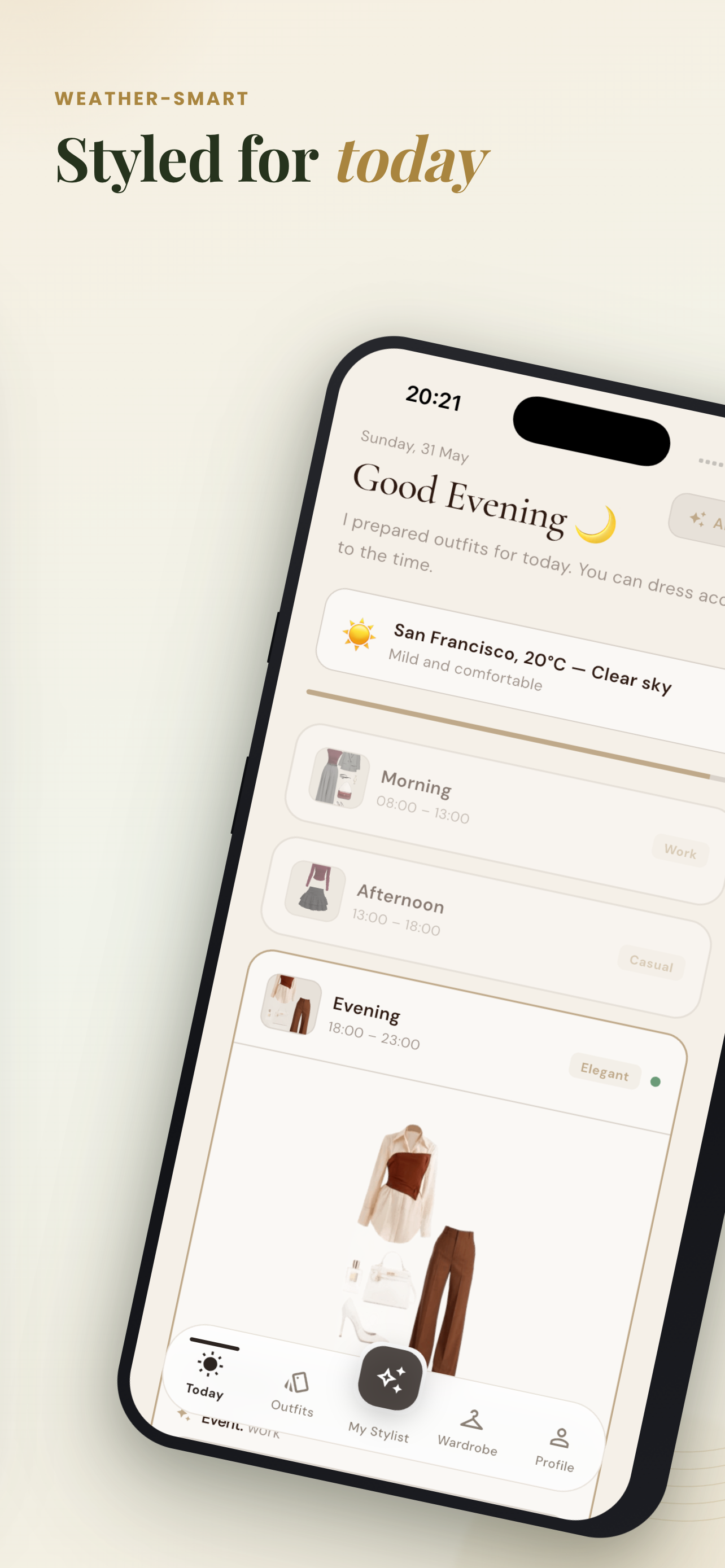
A clean, fast experience built around your wardrobe — every screen crafted to help you decide what to wear in seconds.
Features
Every Aspect of Style Management
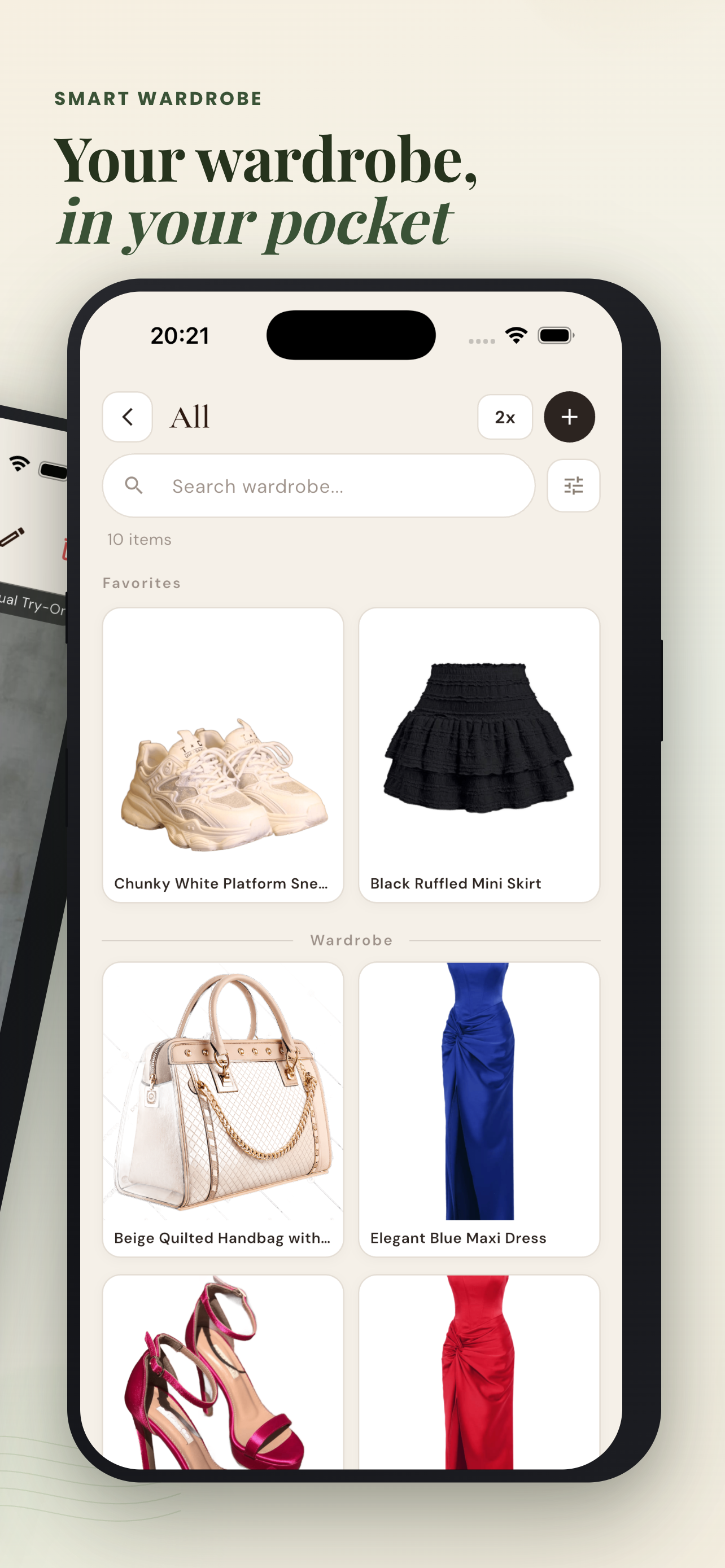
Digital Wardrobe
Collect all your clothes in one digital wardrobe. Take photos and auto-categorize with AI.
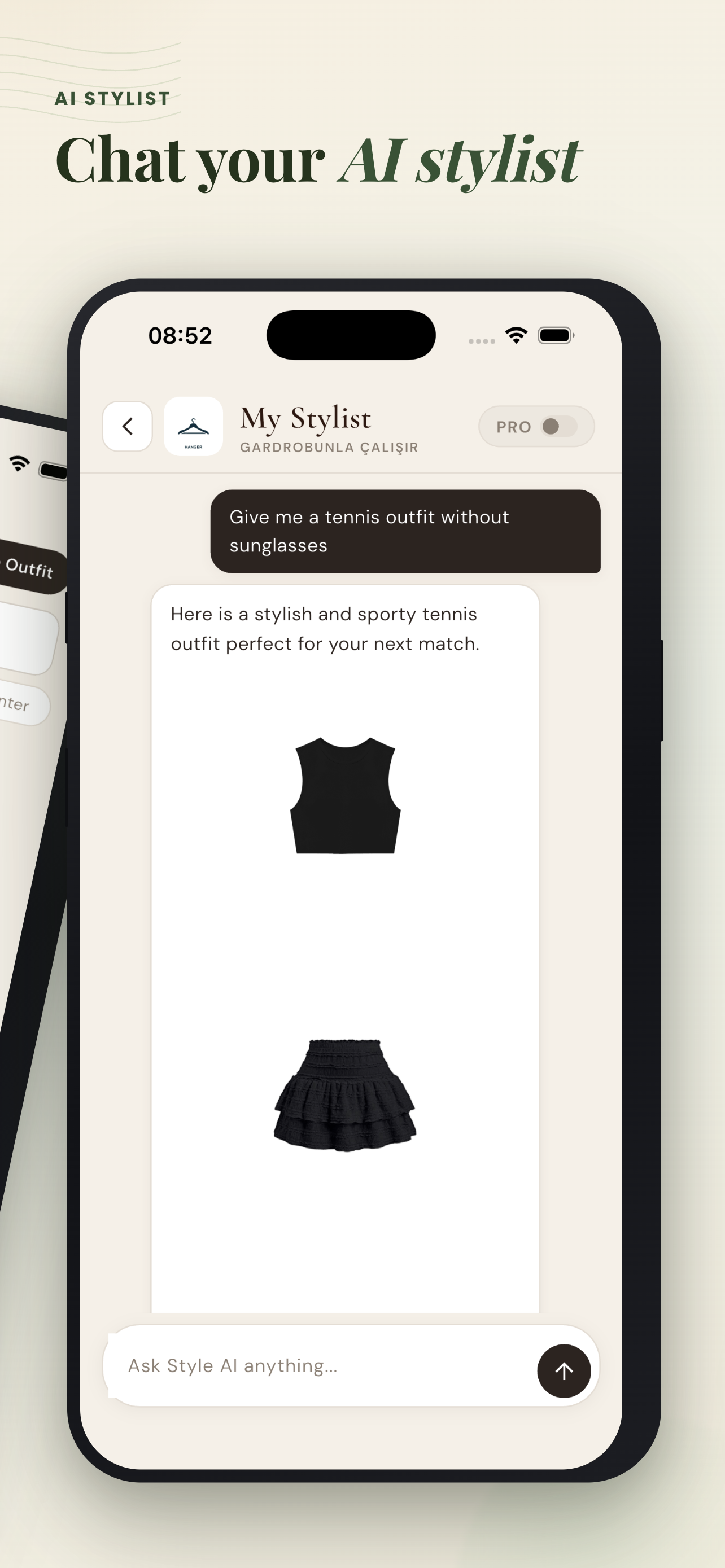
AI Outfit Assistant
Your personal AI-powered style assistant. Plan daily outfits and get personalized suggestions.
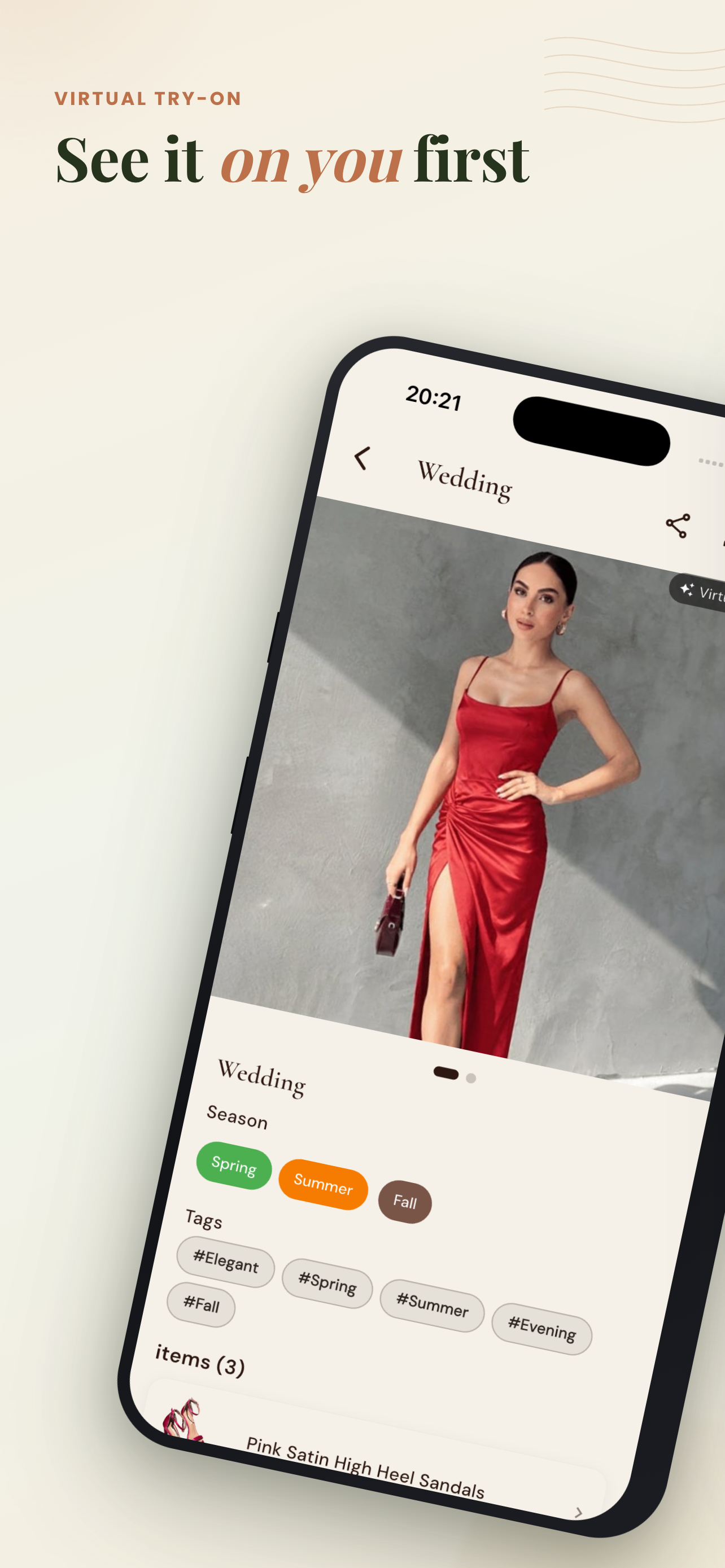
Virtual Try-On
See clothes virtually on yourself before buying. No regrets.
Style Calendar
Plan outfits in advance for special occasions. Wedding, meeting, vacation — always ready.
Seasonal Collections
Organize your wardrobe by season. Separate collections for fall, winter, summer, spring.
Wishlist
Save clothes you want to buy. Keep your wishlist organized, never miss a deal.
How It Works
Get Started in 3 Steps
Photograph
Take a photo of your clothes or add from a brand catalog. Ready in seconds.
AI Analyzes
AI automatically identifies color, category, and season, then tags them.
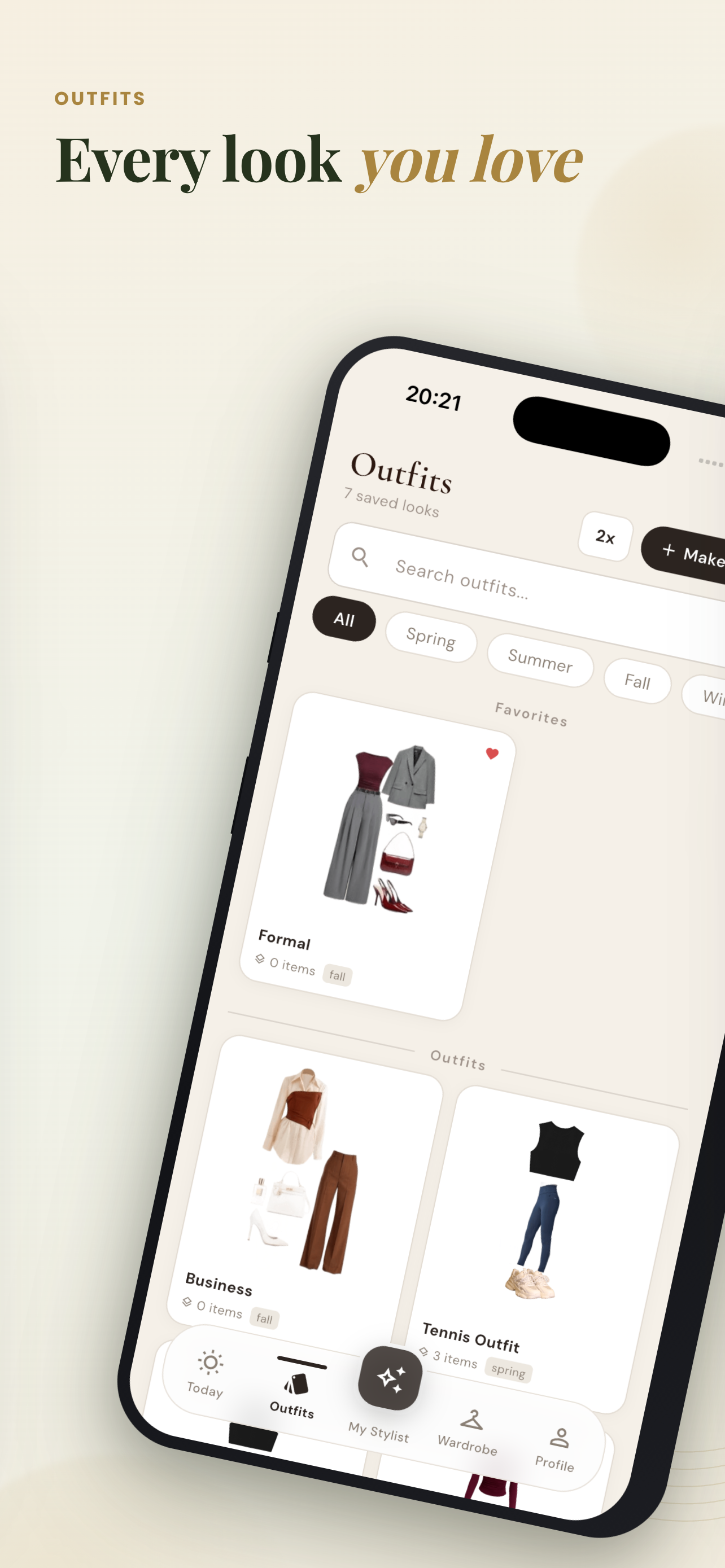
Create Outfits
Discover perfect outfits with personalized suggestions and plan your daily style.
Kombinim Pro
Unlock your full wardrobe
Start free forever. Upgrade to Pro when you want unlimited everything and the full power of AI styling.
Pro
Best valueBilled as $49.99/year · $4.99/mo monthly
- Unlimited clothing
- Unlimited outfits
- Unlimited wishlist
- Unlimited AI chat
- Virtual try-on purchases
Cancel anytime · Managed via App Store & Google Play
Why Kombinim
Built to be trusted
Your wardrobe is personal. We treat your data and your time with respect.
Privacy first
GDPR-compliant. Your photos and data are yours — never sold, never shared with advertisers.
Secure by design
Encrypted authentication and secure cloud storage keep your wardrobe safe on every device.
Real AI styling
Powered by advanced AI that understands color, season, and occasion — not random suggestions.
No commitment
Start completely free, no card required. Cancel your Pro plan anytime, no questions asked.
Frequently Asked Questions
How do I add clothes to my wardrobe?
Tap the + button on the home screen, take or pick a photo, and our AI automatically detects the color, category, and season.
What are the free plan limits?
The free plan includes 20 clothing items, 10 outfits, 20 wishlist items, 10 AI chats per day, and 2 virtual try-on credits.
How do I cancel my Pro subscription?
Manage your subscription from your App Store (iOS) or Google Play (Android) account settings. Cancellation takes effect at the end of the current billing period.
How do I delete my account?
Go to Profile → Settings → Delete Account in the app, or use the Delete Account page on this site.
Discover Kombinim
Today
Start free, upgrade to Pro whenever you want